
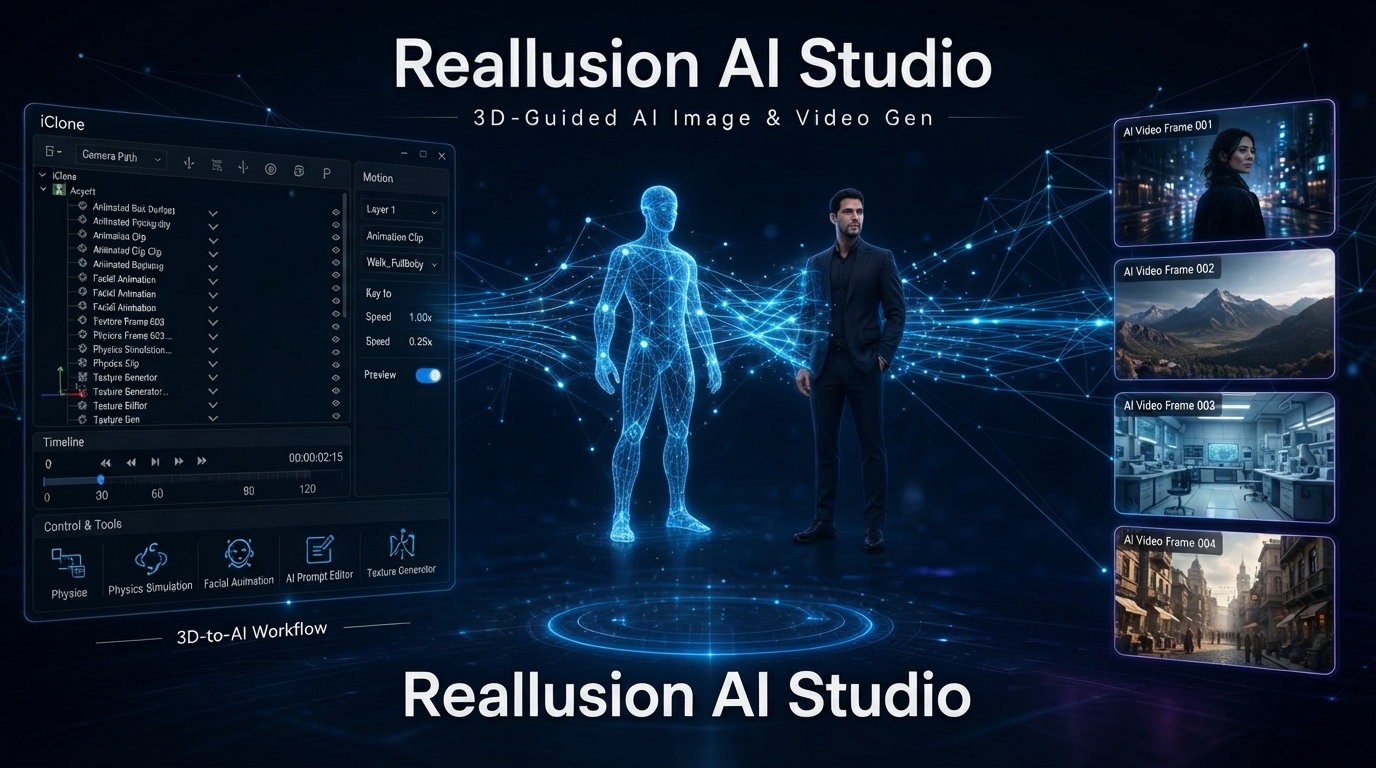
Reallusion AI Studio Just Went Standalone — Here’s What’s New
Reallusion has just made a pretty big change to Reallusion AI Studio. With version 1.1, the tool is now available as a standalone app instead of being tied to iClone and Character Creator.
That might sound like a small change, but it makes AI Studio much easier to try. You no longer need to own Reallusion’s other software just to see what it can do.
The September 2, 2026 release also brings several other updates, including Seedance 2.5, 4K output, a new AI Actor Creator mode, Capture Frame, and cloud syncing.
Here’s what changed and what it means if you’re making AI videos.
Table of Contents
Where AI Studio Came From
Reallusion AI Studio isn’t completely new. Reallusion first introduced it in May 2026 as part of iClone and Character Creator.
The idea behind it was fairly simple: combine traditional 3D control with generative AI.
Instead of starting with nothing but a text prompt, you can use a 3D scene to help guide the result. You can set up a character, camera position, objects and movement first, then let the AI generate the final video.
That approach is particularly interesting for anyone who’s had to deal with the usual problems of AI video — characters changing appearance, inconsistent camera movement, or scenes that don’t quite match from one shot to the next.
The original version also brought several AI models together in one workflow, including Seedance, Veo, Kling and Flux.
There was just one catch: you needed iClone or Character Creator to use it.
Version 1.1 changes that.

What’s New in Reallusion AI Studio 1.1?
AI Studio Is Now a Standalone App
This is probably the biggest change in Reallusion AI Studio 1.1.
You can now install and use AI Studio without having iClone or Character Creator installed. Existing users can update through Reallusion Hub, while new users can download the standalone application from the official Reallusion AI Studio page.
If you want the more advanced 3D workflow, you can still use AI Studio together with iClone Personal.
But for someone who simply wants to experiment with AI video generation, the standalone version removes a pretty significant barrier.
Seedance 2.5 Adds Longer Video Generation
Seedance 2.5 is one of the main additions to Reallusion AI Studio in this release.
The model can generate videos of up to 30 seconds and supports multiple resolutions. It can also work with up to 50 reference inputs, which is particularly useful when you’re trying to keep a character or scene consistent.
That’s an important feature for longer AI video projects.
With many AI video generators, keeping the same character looking the same across several shots can still be frustrating. Having more reference images gives you another way to keep the visual identity under control.
For creators working on short films, music videos or story-based content, this could be one of the more useful additions in the update.
Seedance 2.0 Mini Is Designed for Testing
Not every generation needs to be the final version.
Seedance 2.0 Mini is aimed more at experimentation and quick iterations. According to Reallusion’s official AI Studio 1.1 release, Seedance 2.5 can generate videos up to 30 seconds while maintaining character and scene consistency across up to 50 reference inputs.
That makes it useful when you’re testing an idea, working out a composition or simply trying different prompts before spending more credits on the final version.
It’s a small addition, but this kind of cheaper testing workflow can save quite a few credits over time.
4K Output Across the Main Tools
Another major improvement coming to Reallusion AI Studio is 4K support.
AI Studio now supports 4K output across its main generation tools:
- Image Create
- Image Edit
- Video Create
- 3D to Video
Having the same high-resolution option across these different parts of the workflow makes the tool more useful for creators who want to take their generated content into a proper editing workflow afterward.

Capture Frame Makes Continuation Easier
There’s also a simple feature that could turn out to be surprisingly useful: Capture Frame.
You can take a frame from an existing generated video and use it as the starting point for another generation.
For example, you could grab the last frame of a shot and use it to create the next scene. It can also help when you want to fix a particular moment without completely starting over.
It’s not the headline feature of the update, but for anyone making sequences rather than isolated clips, it makes sense.
AI Actor Creator Gets a Simpler Mode
AI Actor Creator has also received an easier option.
The new Basic mode lets you upload a single reference photo and generate an AI Character Sheet from it.
That’s a lot more approachable than building everything around a full 3D character workflow.
If your main goal is simply to create a recurring AI character and keep that character looking consistent, this could be a useful starting point.
Projects Can Now Sync Across Devices
AI Studio 1.1 also adds cloud syncing for projects and generated assets.
That means your work doesn’t have to remain tied to one computer.
It’s not the kind of feature that makes headlines, but it’s one of those quality-of-life improvements that becomes useful pretty quickly when you’re working between different devices.
Some Content Restrictions Have Changed
Reallusion has also made changes to its content policies.
Some dramatic content, including certain combat scenes and intense character interactions, is now less restricted than before.
For creators working on action scenes or more cinematic storytelling, that should mean fewer interruptions during the generation process.

Is Reallusion AI Studio Actually Free?
Yes — but there’s an important catch.
The standalone application itself is free to download, and new users currently receive 500 AI points to get started.
After those points are used, you’ll need additional credits for continued AI generation. Paid plans start at $9.99 per month.
So it’s similar to the model used by many other AI video platforms: you can get into the tool for free, but the actual generation uses credits.
If you’ve used tools like PixVerse or Kling, the system will probably feel familiar.
Who Should Use AI Studio?
This is where Reallusion’s approach gets interesting.
If you just want to type a prompt and quickly generate a short video, there are simpler options available.
For example, PixVerse is still a much more straightforward starting point for many creators.
You can also check our guide to the 3 best AI video generators in 2026 if you’re comparing different platforms.
AI Studio makes more sense when you need more control over the scene.
Maybe you want the same character to appear in several shots. Maybe you already know where the camera should move. Or perhaps you’re working on a project where keeping the environment and character placement consistent matters more than simply generating a cool-looking clip.
That’s where the 3D-guided workflow starts to make sense.
And with Seedance 2.5 supporting up to 50 reference inputs, Reallusion is clearly putting a lot of emphasis on consistency.
The Bottom Line
The biggest thing about AI Studio 1.1 isn’t actually the new AI models or 4K output.
It’s the fact that Reallusion AI Studio is now available on its own.
Previously, the connection to iClone and Character Creator made the tool feel more like an extension of Reallusion’s existing 3D ecosystem. Now, anyone can download it and experiment without first buying into that ecosystem.
That’s a smart move.
AI video generation is becoming increasingly crowded, and simply producing another text-to-video tool isn’t enough anymore. Reallusion is taking a slightly different route by combining generative AI with the kind of scene and character control that 3D artists are already familiar with.
Whether that approach will be better than the simpler cloud-based generators remains to be seen.
But with a standalone app, 500 free AI points and features like Seedance 2.5, 4K generation and AI Actor Creator, AI Studio 1.1 is definitely worth a look — especially if character consistency and control are important to your workflow.